How to create an R package and use Git & Github for version control
Alex Chen
EDIT
14 December 2016
Link to the slides
Advantages of building an R package
Use functions and turn hundreds lines of code to a single or few lines of code.
Orgainze your R script, data, and documentation in a well-defined structure.
Collaborate and share your methods with others. Editing history traceable via git control.
Use ‘R CMD check’ to validate your R script.
Publishable work
R package structure
A minimal package should include:
R functions (saved in .R files)
Metadata (DESCRIPTION file)
Namespace (NAMESPACE file generated via roxygen2; connect your package to others)
Documentation (generated via roxygen2; help page)
Vignette (user guide)
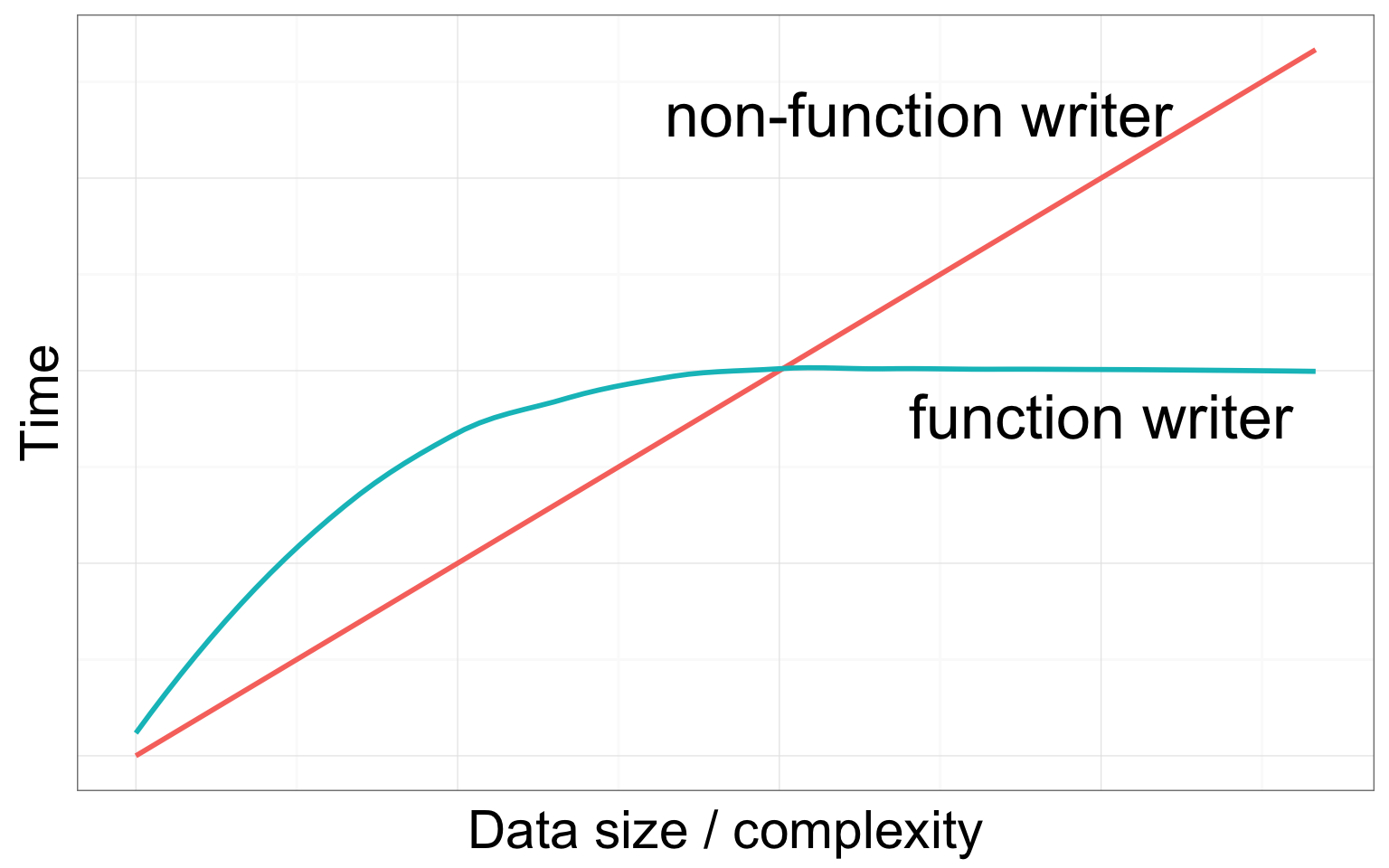
Writing R functions can save your time down the road
How to write a function
Your_Function_Name <- function( Your_Variables ){
  #Do something here
}
Fecundity = a x Length b
fecundity <- function(L){
  y <- 0.002*(L^3)
  return(y)
}fecundity(36)## [1] 93.312How to write a function
Fecundity = a x Length b
fecundity <- function(L, a, b){
  y <- a*(L^b)
  return(y)
}fecundity(L=36, a=0.002, b=3)## [1] 93.312fecundity(L=36, a=0.2, b=3)## [1] 9331.2Make your function useful
Use conditional statement to choose an analytical method
myFunction <- function(method="A"){

  if(method=="A"){
    #Analyze data in this way

  }else if(method=="B"){
    #Analyze data in that way

  }else if(method=="C"){
    #Analzye data in that way

  }
}
Start an R package with git version control
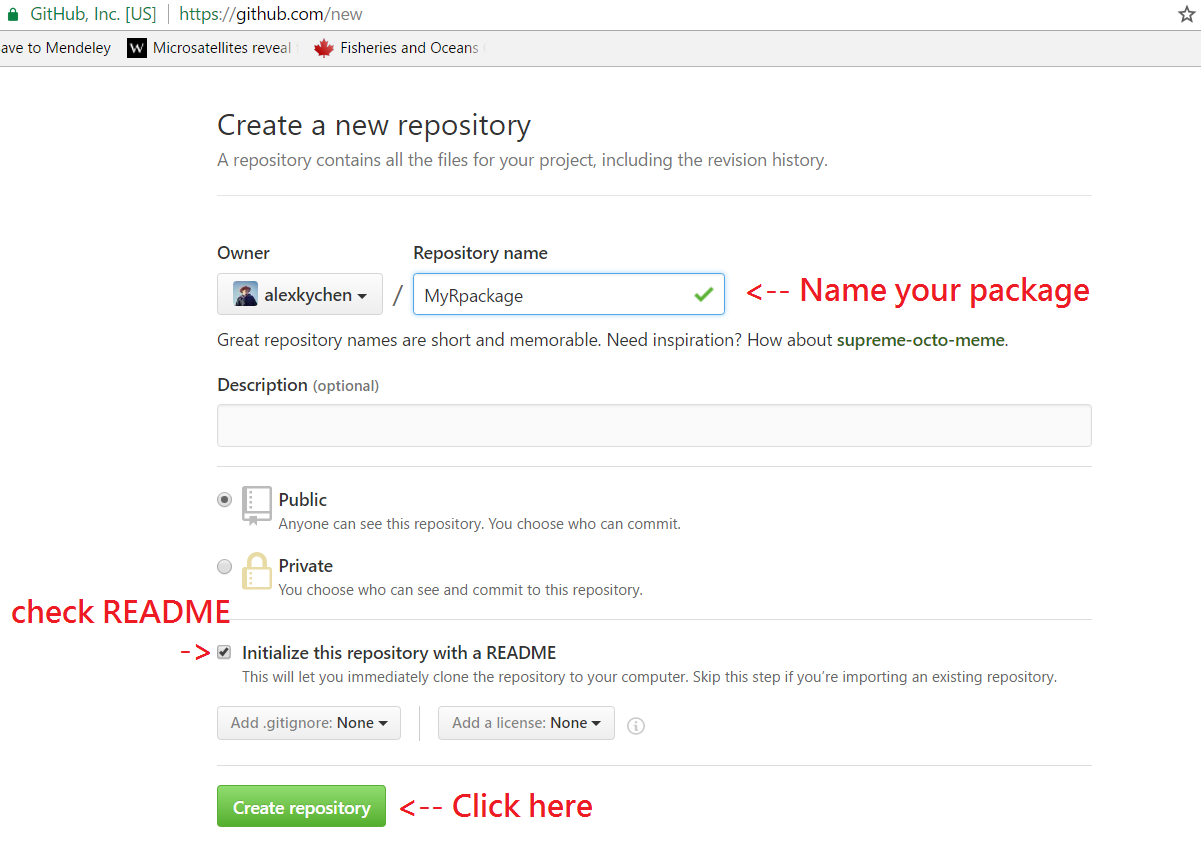
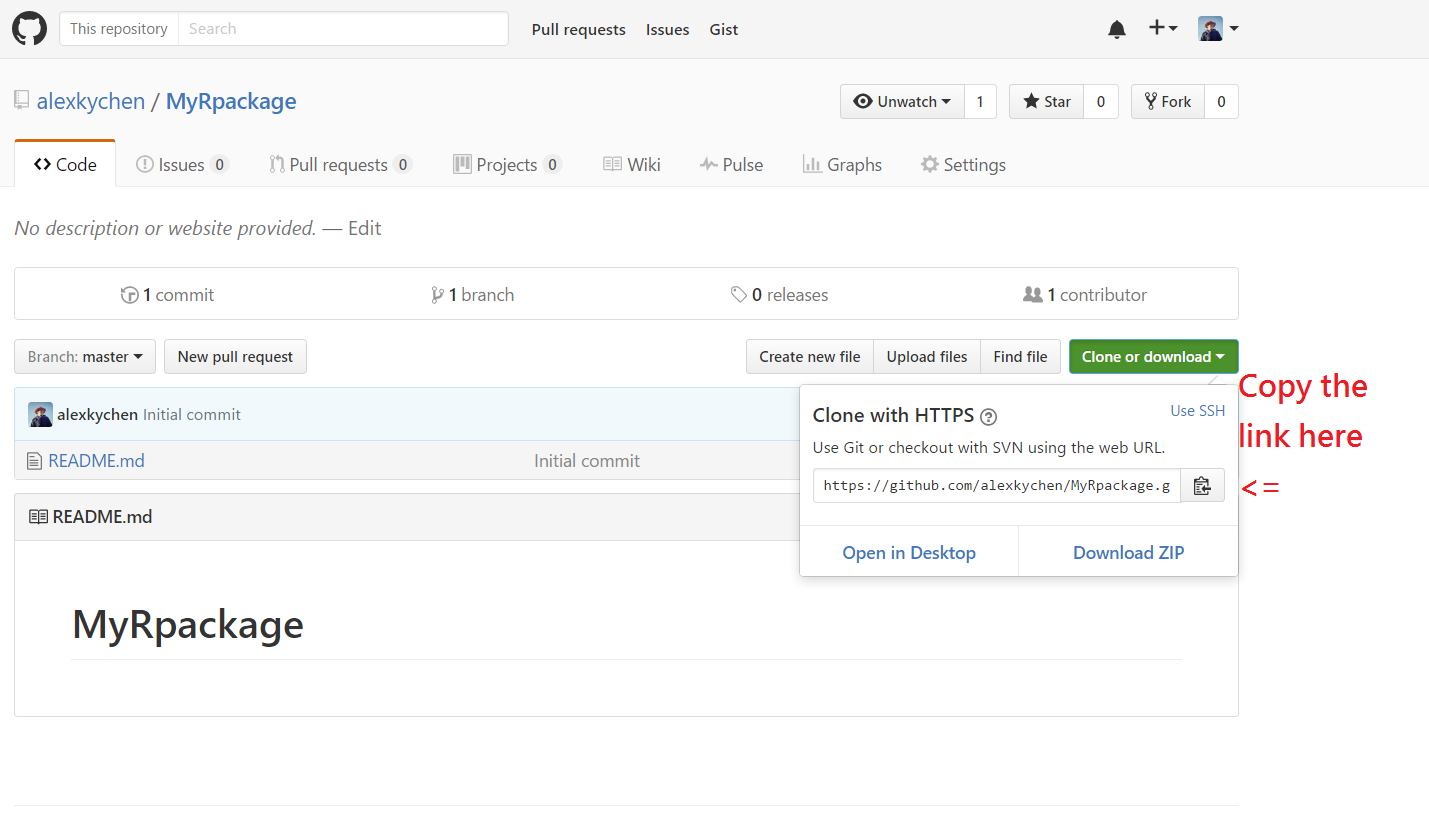
Your R package is built in your computer; a copy can be saved in the cloud. They’re syncronized via Git.
| Local | Cloud | |
|---|---|---|
| storage space | Your PC | Github.com |
| software | RStudio | Git |
Start an R package
Install R, RStudio, and Git in your computer
Create a Github account www.github.com
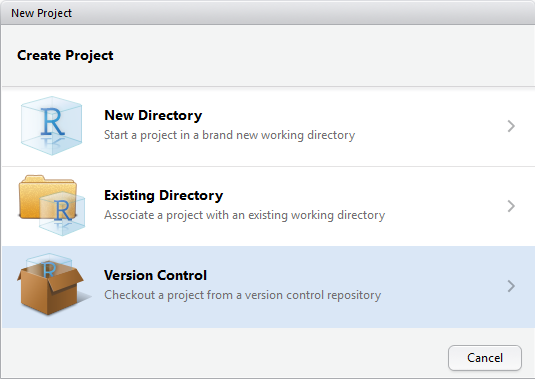
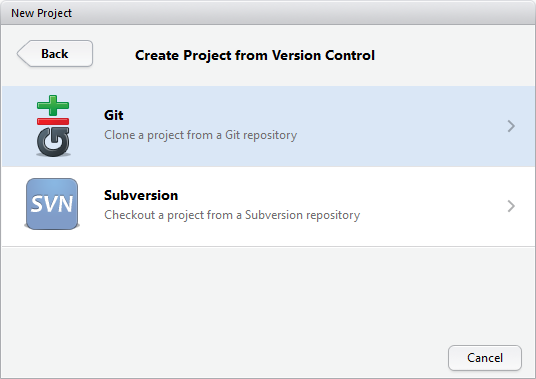
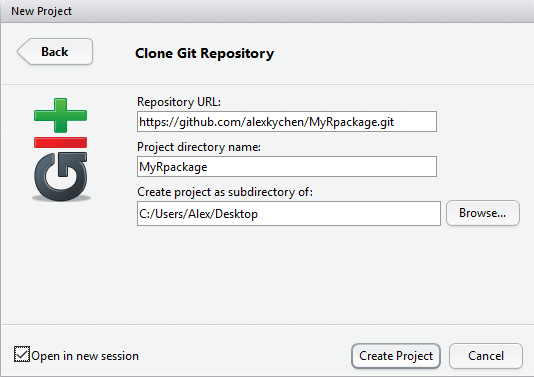
- Create an R project from RStudio
- Open a new project
- Select version control
- Select Git
- Paste URL
Install library
devtoolsandroxygen2Set up R configuration
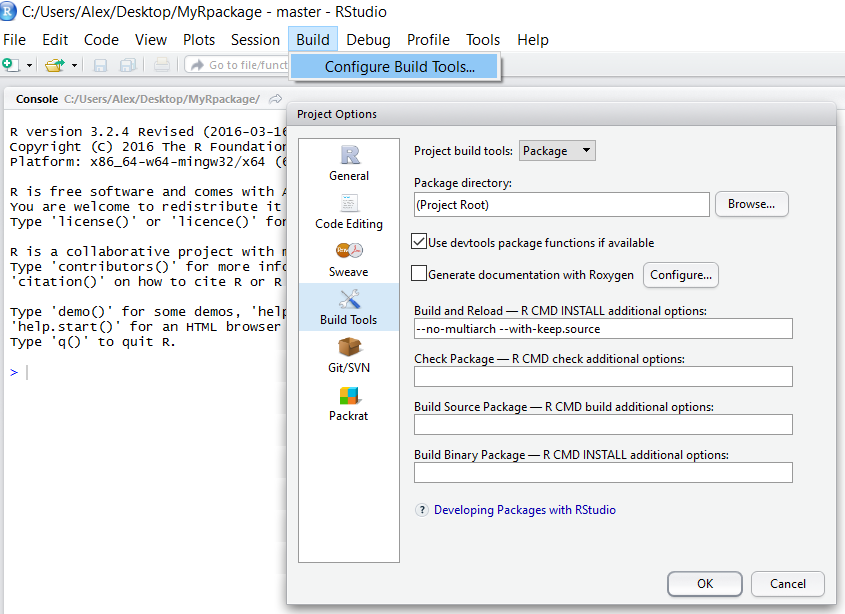
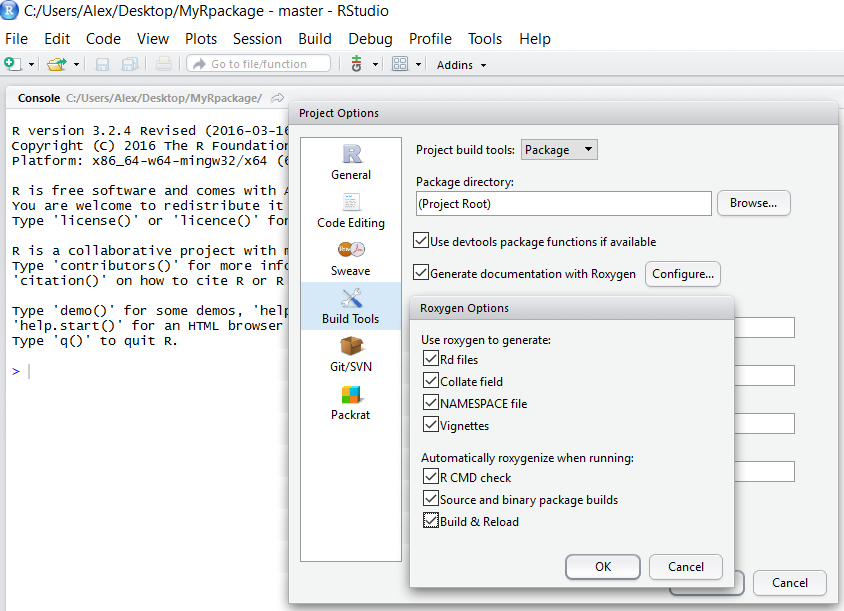
R configuration setup
Select Build and then Configure Build Tools on menu bar
Select Package in the pop-up window
Check and configure Roxygen options
Create folders R and man
Create a text file named DESCRIPTION
Edit DESCRIPTION file
Include the following information:
Package: MyRpackage
Version: 1.0
Title: This is title of MyRpackage
Author: Alex Chen
Maintainer: Alex Chen <chen.1735@osu.edu>
Description: A brief description about MyRpackage
Depends: R (>= 3.1.0)
License: GPL (>= 2)
Imports: [Put other packages here if needed]
More details about DESCRIPTION
Write R function files
Create function files (e.g., fecundity.R)
and save them in the R folder
#' A title of your function
#'
#' A short description about the function.
#' @param L fish length
#' @param a constant a
#' @param b constant b
#' @return This function returns fish fecundity
#' @export
#' @examples
#' fecundity(36, 0.2, 3)

fecundity <- function(L, a, b){
  y <- a*(L^b)
  return(y)
}
We use roxygen2 to generate functions’ documentation.
Build your package in R
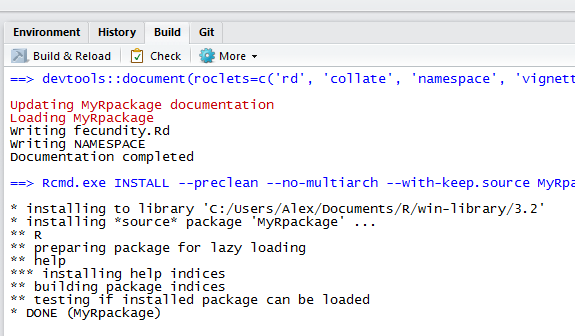
Click Build & Reload under Build menu
Fix any issue if build not successful
Make sure to rebuild if any change was made
Try
?fecundiyto see if help page shows up
Sync with Github repository
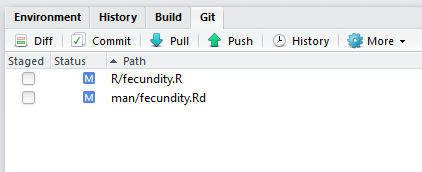
Make sure the Git program was installed.
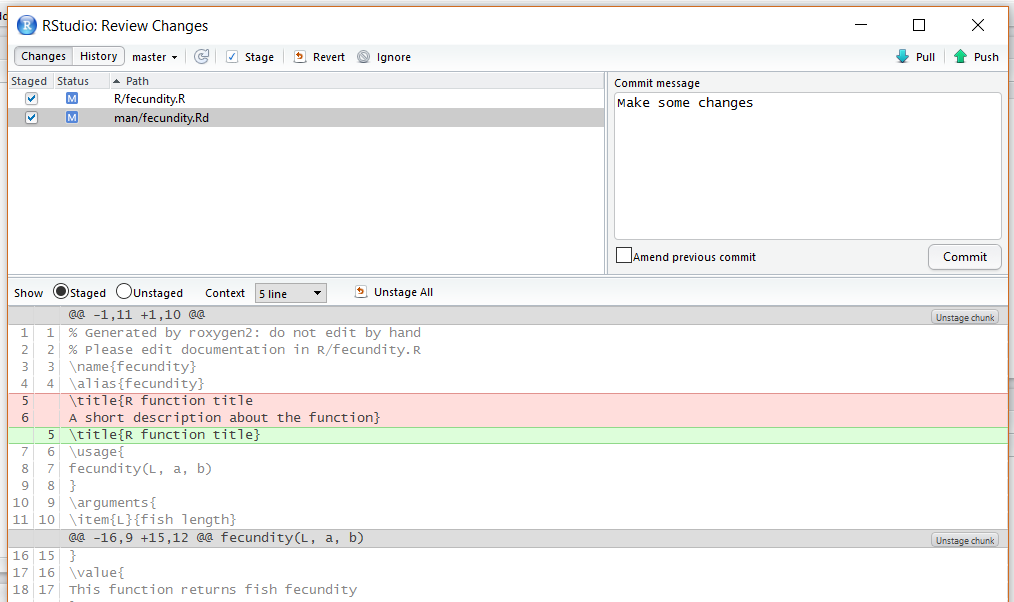
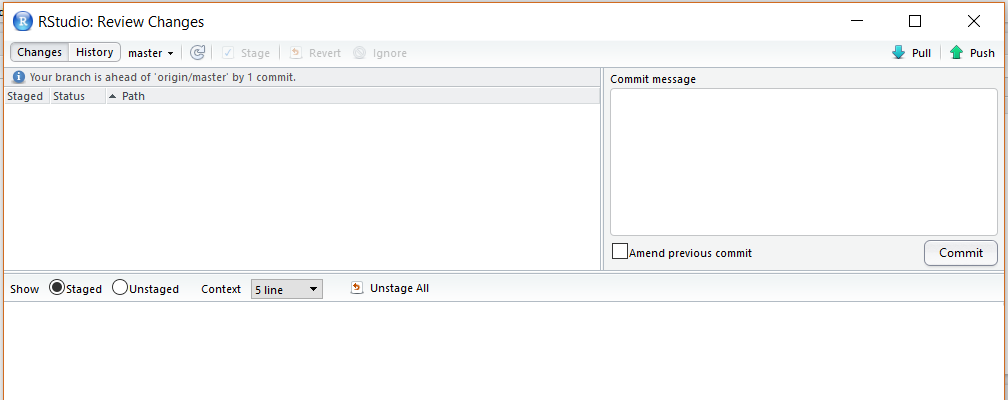
Click Commit under Git menu
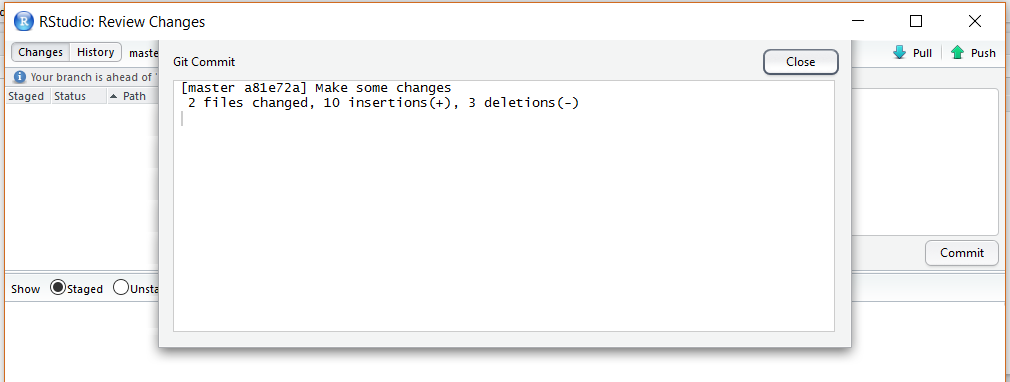
Check files and add commit message and then hit commit
Close commit message window
Click Push button to upload files to Github repository
Go to your Github site and see if files are updated
Exercise
Go ahead and create a second R function
Rebuild your package locally, and then upload the file to your Github
Install the package of a person next to you. Use the following code:
library(devtools)

install_github("ACCOUNT/XPACKAGE")
Handle identical function names
Import the library:
library(XPACKAGE)Type
?fecundityin R console (There should be two fecundity functions associated with different packages)Type
?XPACKAGE::fecundityto see the help pageClick Index at the bottom to see the second function
Run the second function to see if it works
Further resources
One-page tutorial (by Hilary Parker)
R package primer (by Karl Broman)
R packages (by Hadley Wickham)